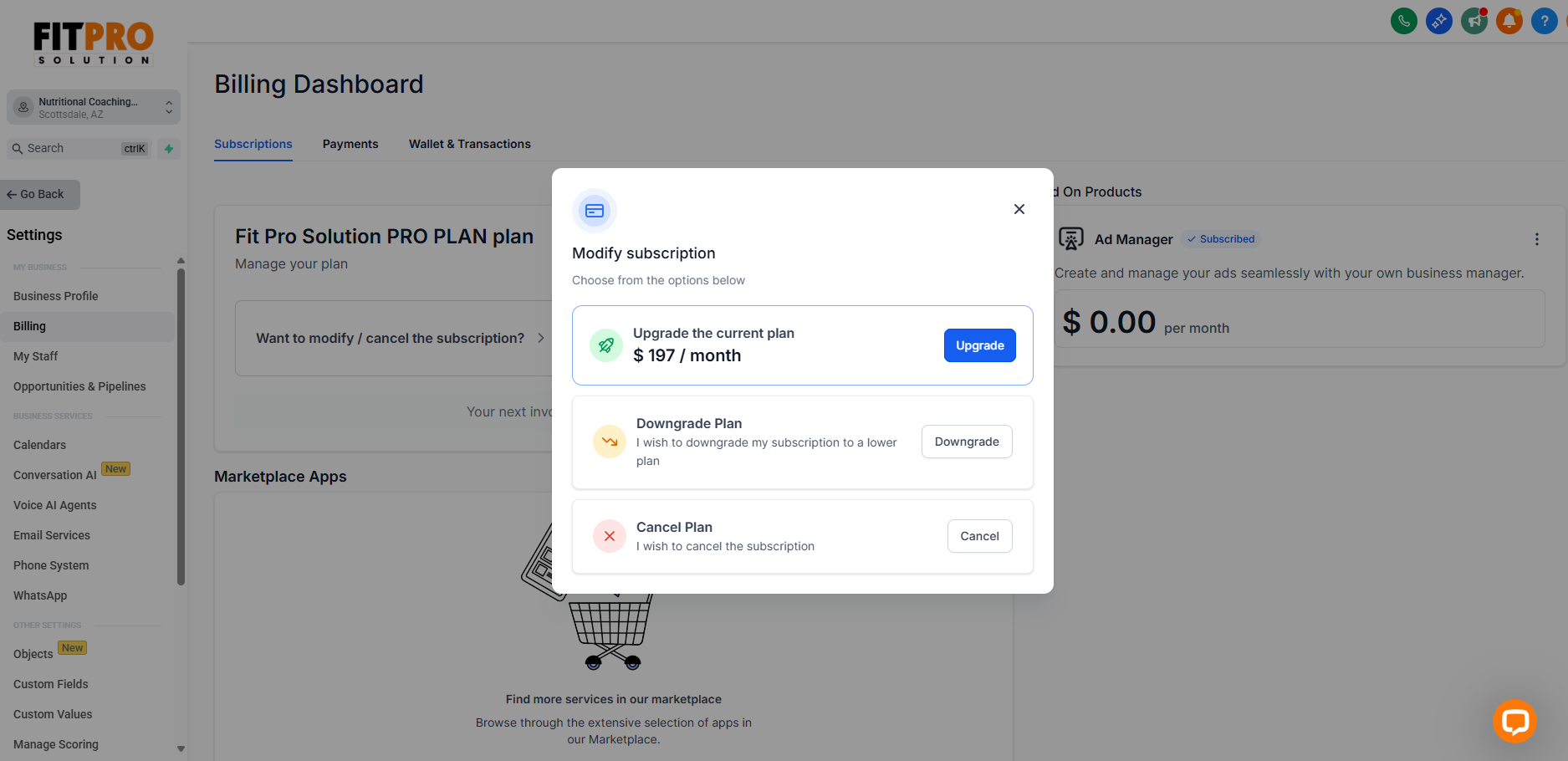
Update/Cancel Subscription
Update or Cancel Your Subscription
Follow the steps below to change your current subscription plan, whether you want to upgrade or cancel.
What’s really holding you back?
What Most Fit Pros Face Every Day
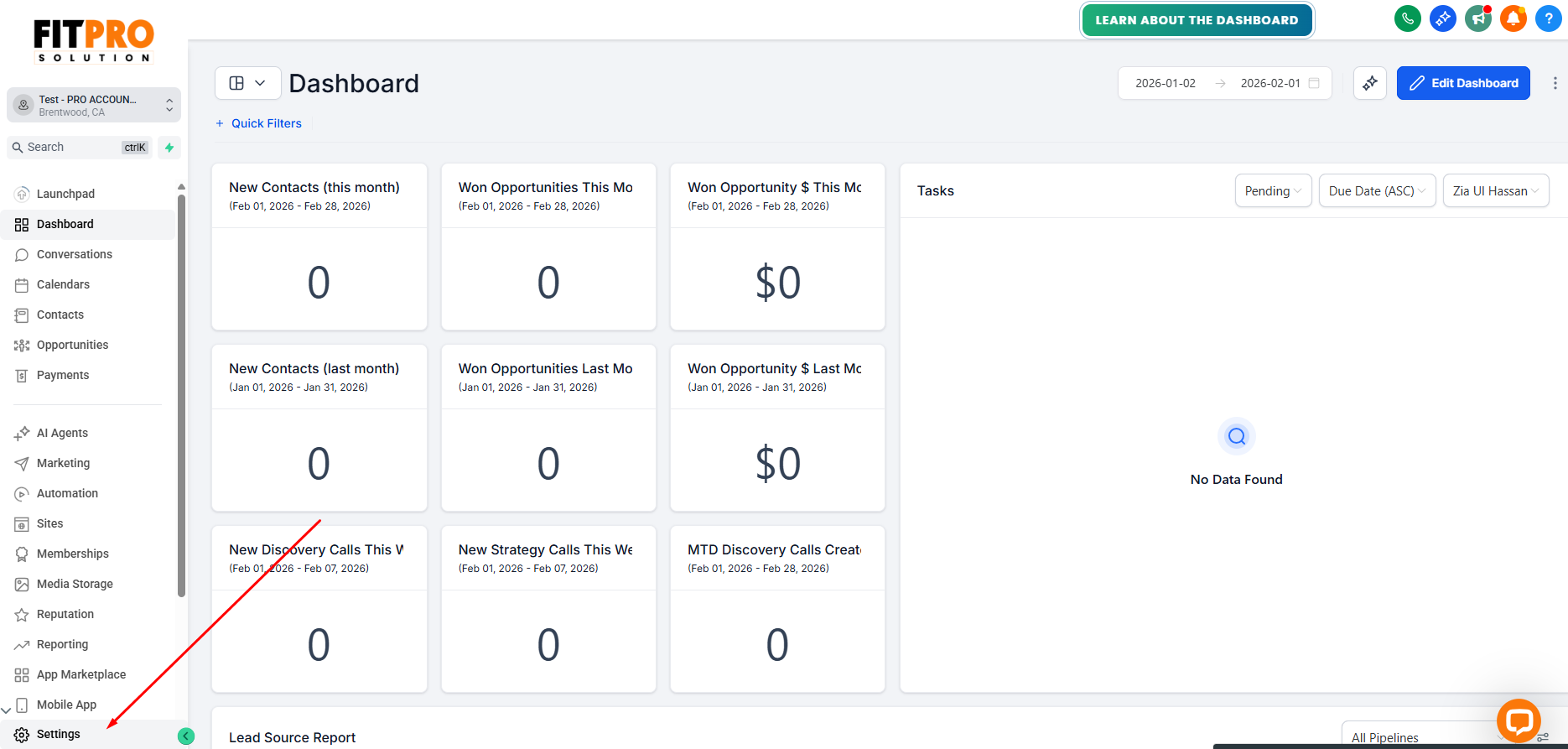
Log in to your Fit Pro Solution CRM account.
From the dashboard, click Settings located in the bottom-left corner.
Inside Settings, select Billing.
Click on Subscription to view your current plan details.
On the Subscription page, you will see:
Your active plan
Billing cycle
Next billing date
Available actions for managing your subscription
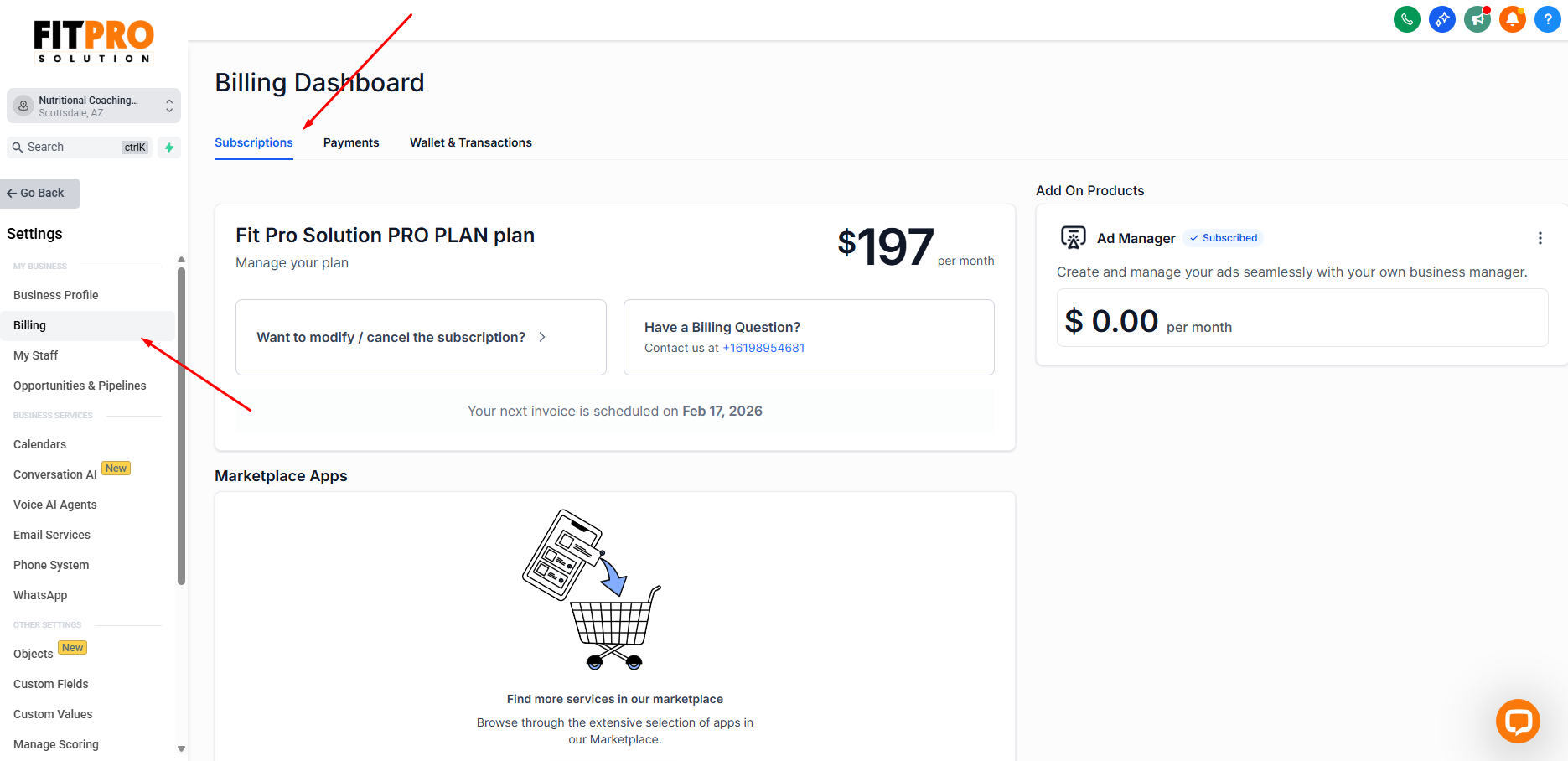
Click on the Want to modify / cancel the subscription? option below your current subscription.
Review the available plans and select the one you want to upgrade to.
Confirm the pricing and billing cycle before proceeding.
Click on Cancel Subscription on the Subscription page.
Click the Downgrade option if you’re on the top plan.